Product
What ELARID shows for each project.
ELARID reads the documents of a solar, wind or battery project and shows what they say, with the page and sentence beside each figure. When a figure is unclear, it shows why and lets a person decide.
In the product
Three screens from the demo.
Taken from our demo organisation, which holds public documents only. Names and permit numbers are hidden.
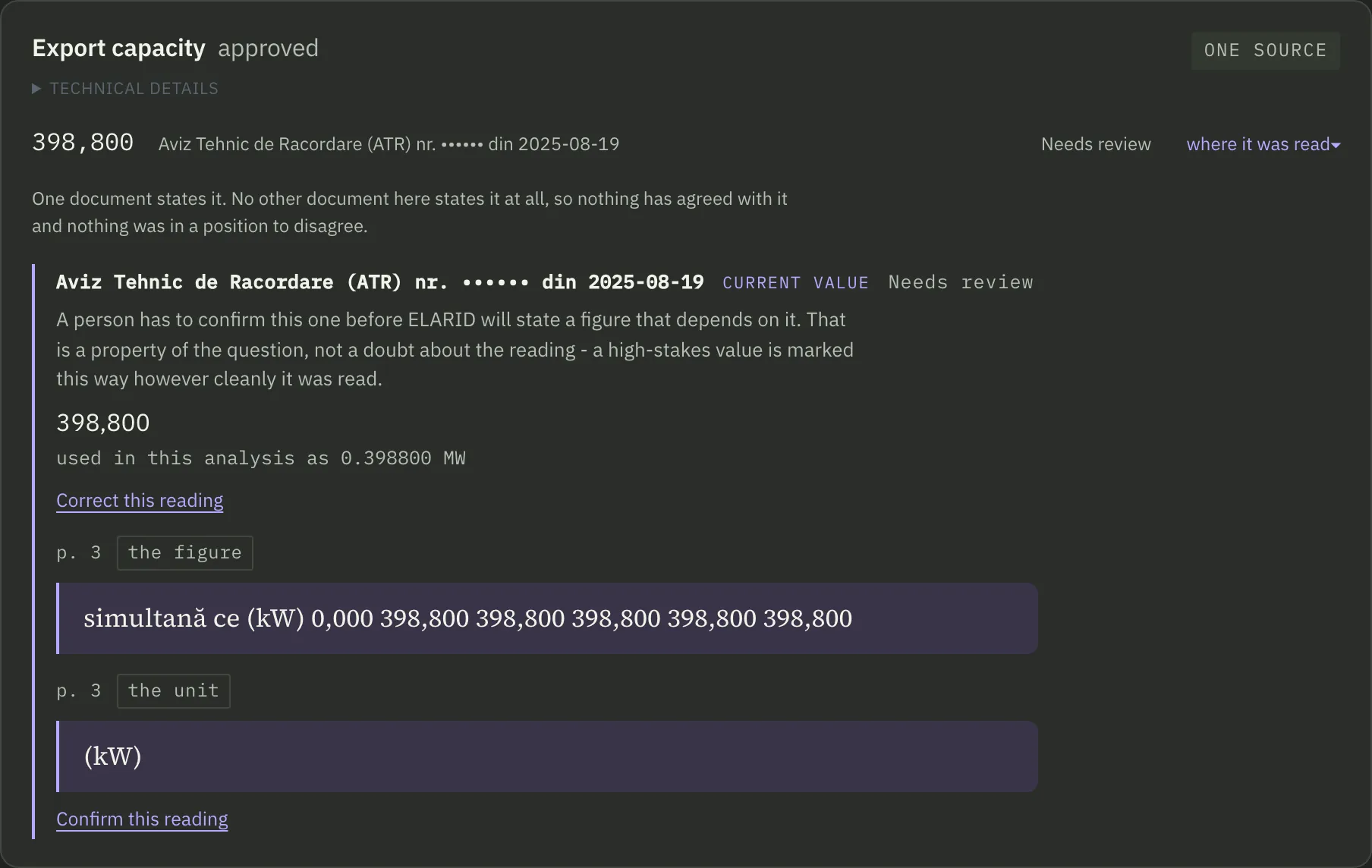
A figure, with the row it came from
The approved export capacity of a solar project, with the permit, the page and the printed row it was read from. It stays marked “Needs review” until a person confirms it.
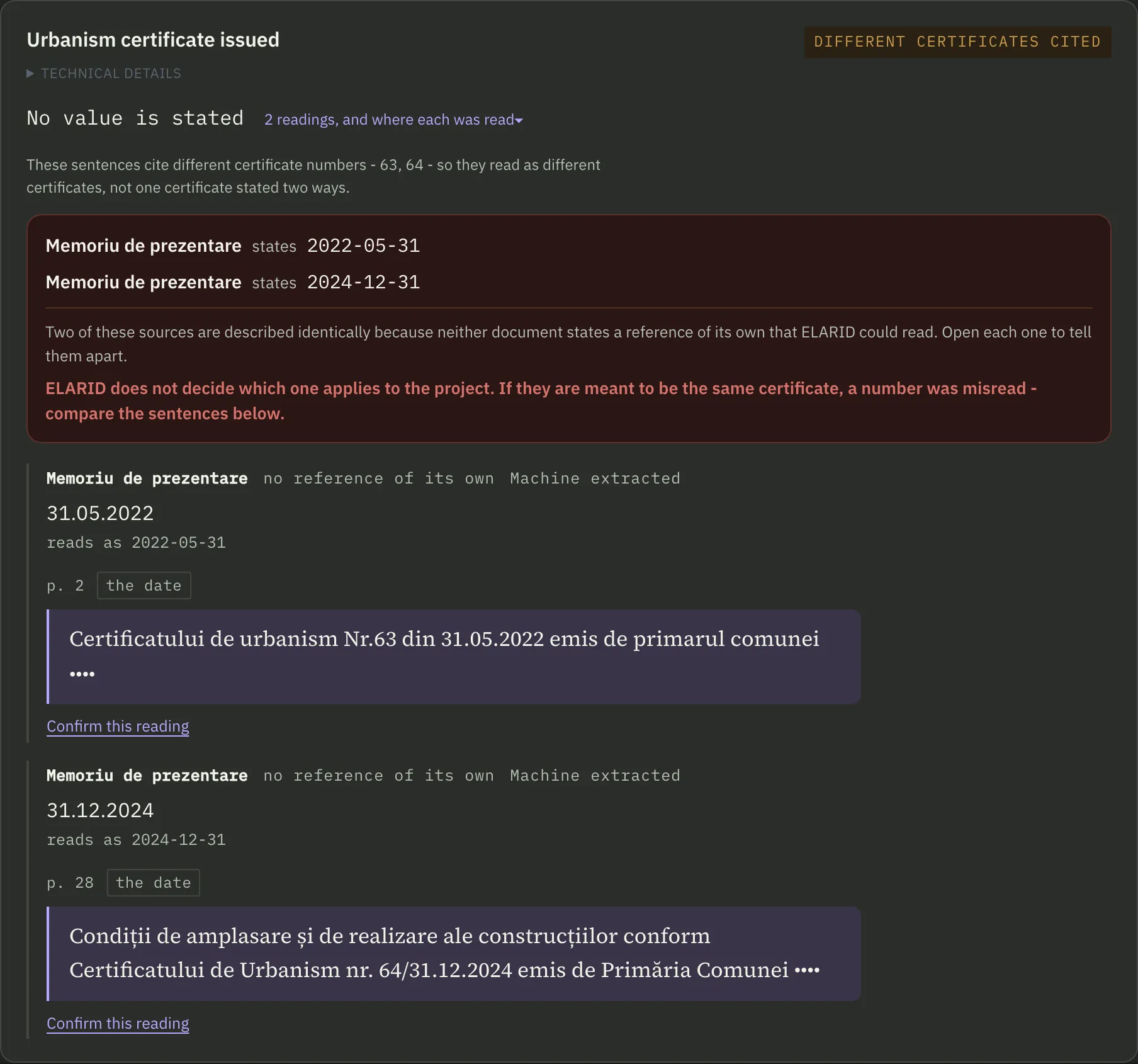
Two documents that do not agree
Two documents in the same file cite two different urbanism certificates, no. 63 of 2022 and no. 64 of 2024. Both stay on screen with their page and sentence, and ELARID does not decide which one applies.
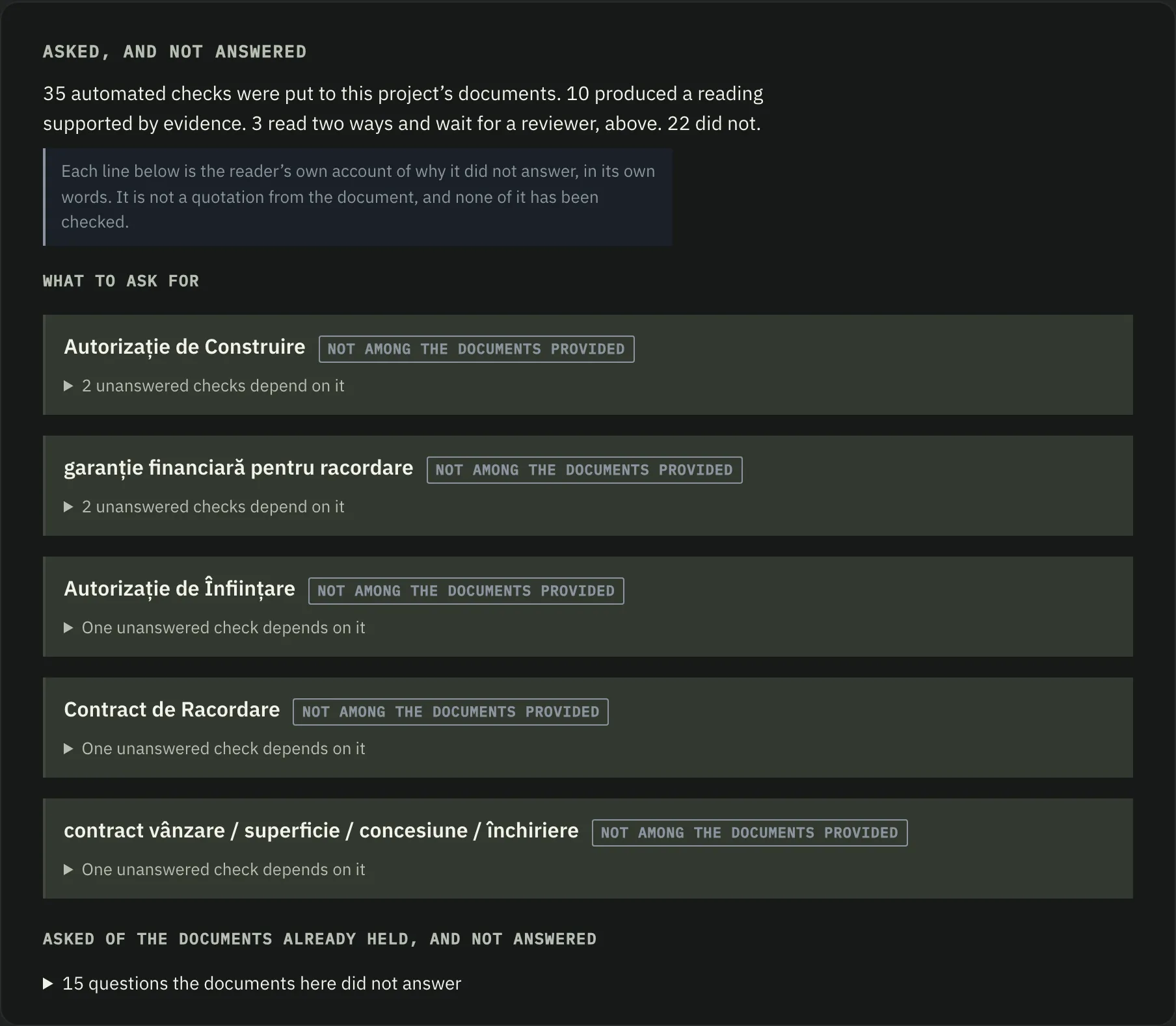
What to ask the seller for
The documents missing from the file, such as the building permit and the connection contract, each with the number of checks that wait on it.
Answers
The project page, in four parts.
Each project page answers four questions.
- What we know
- What the documents establish. Each figure shows the page it was read from.
- What we don’t know
- What is missing. When something cannot be determined yet, ELARID says so and shows exactly what is missing.
- What could affect the deal
- What can stop the deal: figures that do not match, open items that matter, readings a person has to settle.
- What to request next
- What still has to be asked for.
- All projects
- In the product, the main page lists every project. The problems that can stop a deal come first: figures that do not match, missing information, deadlines that expire. Each one can be followed to the sentence in the document that produced it.
Evidence
Where each figure comes from.
ELARID shows what a document states and where it states it.
The sentence and the page
For every figure it finds, ELARID keeps the exact sentence and the page it came from. One click shows the sentence and opens the original document at that page.
Tables and scanned pages
Each document is read with its tables and scanned pages. ELARID looks for the approved powers, the dates, the amounts and the conditions.
A source for each value
A value appears with its source: the sentence it was read from, or the figures it was calculated from. When the documents do not establish a value, the page says so.
Uncertainty
When it is not sure, it says so.
Two cases come up again and again: a figure that can be read two ways, and a value the documents do not give. ELARID does not guess in either.
A figure that can be read two ways
In a public grid-connection permit, a table prints a power as 179,280, with the unit (kW) beside it. The product says: “The number can be read in two valid ways from this document.” If the comma marks the decimals, it is 179.28 kW. If the comma separates thousands, it is 179 280 kW. The two readings are 1000× apart, and ELARID does not choose for you.
- ELARID shows both readings, the sentence from the document and the reason for the doubt.
- Until a person confirms the reading, the state is “Awaiting confirmation”, and a verdict that rests on the figure waits.
- Meanwhile the project page shows what would follow once the reading is confirmed, each step with the sentence it was read from.
- When a person confirms, the choice is recorded with their name and the reason they gave.
See the 179,280 example on the home page
A value that is missing
ELARID shows the answer as “Not established” and says what is missing. It does not fill the gap with an assumption.
The record
A record that is only added to.
What ELARID reads from each document goes into a record. Things are only added: a correction sits beside what it replaces, and nothing is overwritten.
Conflicts stay side by side
When two documents give different values for the same thing, such as the approved power, ELARID shows both, each with its source.
New documents add to the record
When a new document brings a new figure, it is added next to the old one. You see what changed, and when. Earlier ELARID readings stay on the record, so changes in what the system read can be traced.
Limits
What ELARID is not
A calculator
ELARID does not show an amount for the sake of an amount. A calculation appears only when the evidence supports it. Where the inputs are not established, it says what is missing instead.
Legal advice
ELARID is neither a lawyer nor an analyst. It reads, marks and compares, and the decision stays with a person.
Regulatory conclusions are versioned, evidence-linked and designed to surface unresolved legal applicability rather than guess.
A chatbot
You do not ask it questions. ELARID reads the documents and writes what it found into the record.
Who it is for
Who ELARID is for
- Funds
- Investment managers and analysts who buy or finance energy projects and have to check them quickly and correctly.
- Advisers
- M&A and technical due-diligence advisers, who do the checking for others.
- Developers
- Acquisition teams at developers, who have many projects and want to know what is missing from each.
Contact
See ELARID on public Romanian project documents.
Founding pilot programme - limited availability.